New Unique AI — chat with any PDF

The free PDF editor with AI chat. Private by design.

Chat with any PDF and get answers with page references, summarize long reports in seconds, and merge, compress, edit, sign and protect documents — all inside Chrome. Your files are never uploaded.

Free forever No sign-up Nothing uploaded Works offline
Nothing uploadedProcessed in your browser
Answers cite pagesClick to check the source
20PDF tools in one tab
0files uploaded, ever
1permission: your settings
100%free, no watermarks
Unique AI

Understand any PDF in seconds

Ask questions in plain language or get a summary of a 100-page report. Every answer shows where it came from.

Chat with PDF

Ask anything. Check every answer.

Unique AI answers in seconds with clickable page references, keeps the conversation for follow-ups and suggests questions that fit your document.

  • Page references and a sources list on every answer
  • Suggested questions for contracts, reports and papers
  • Replies in English, Spanish or Japanese; export the chat
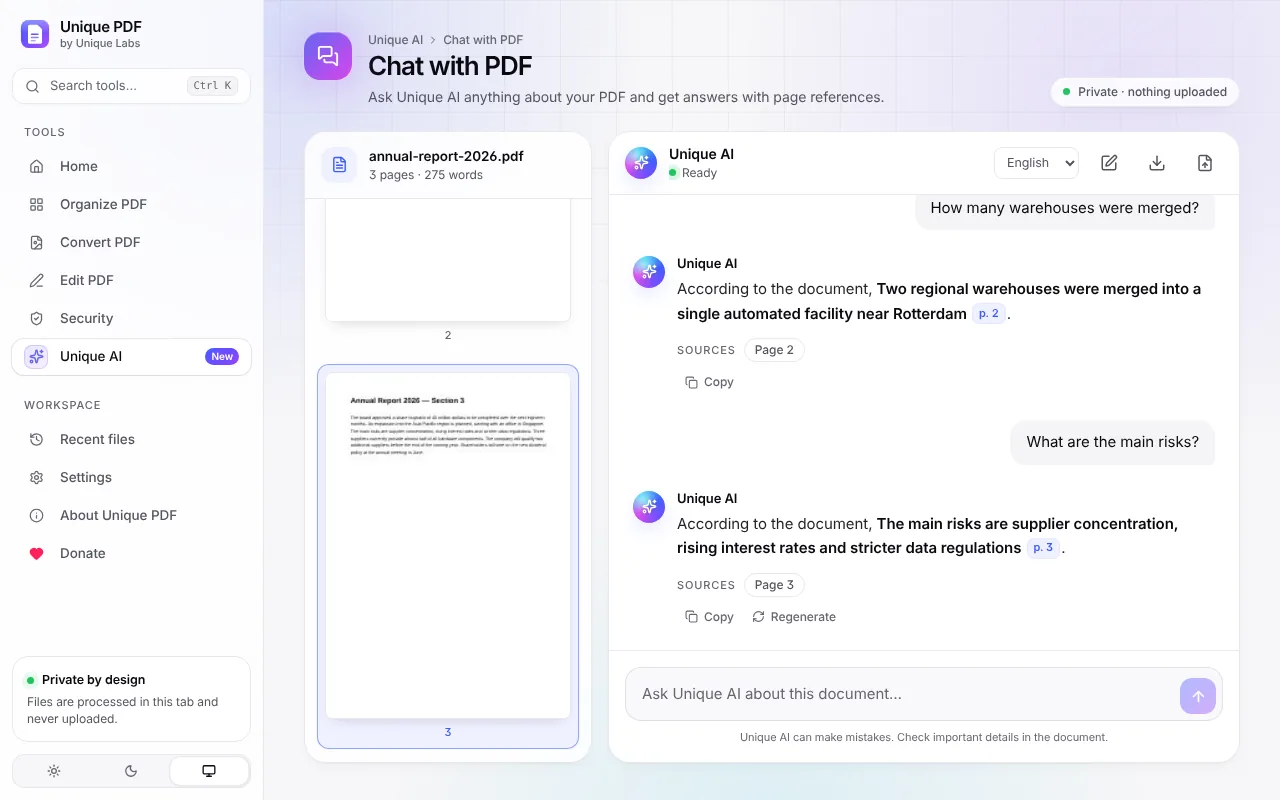
Chat with PDF answering questions about an annual report with page references
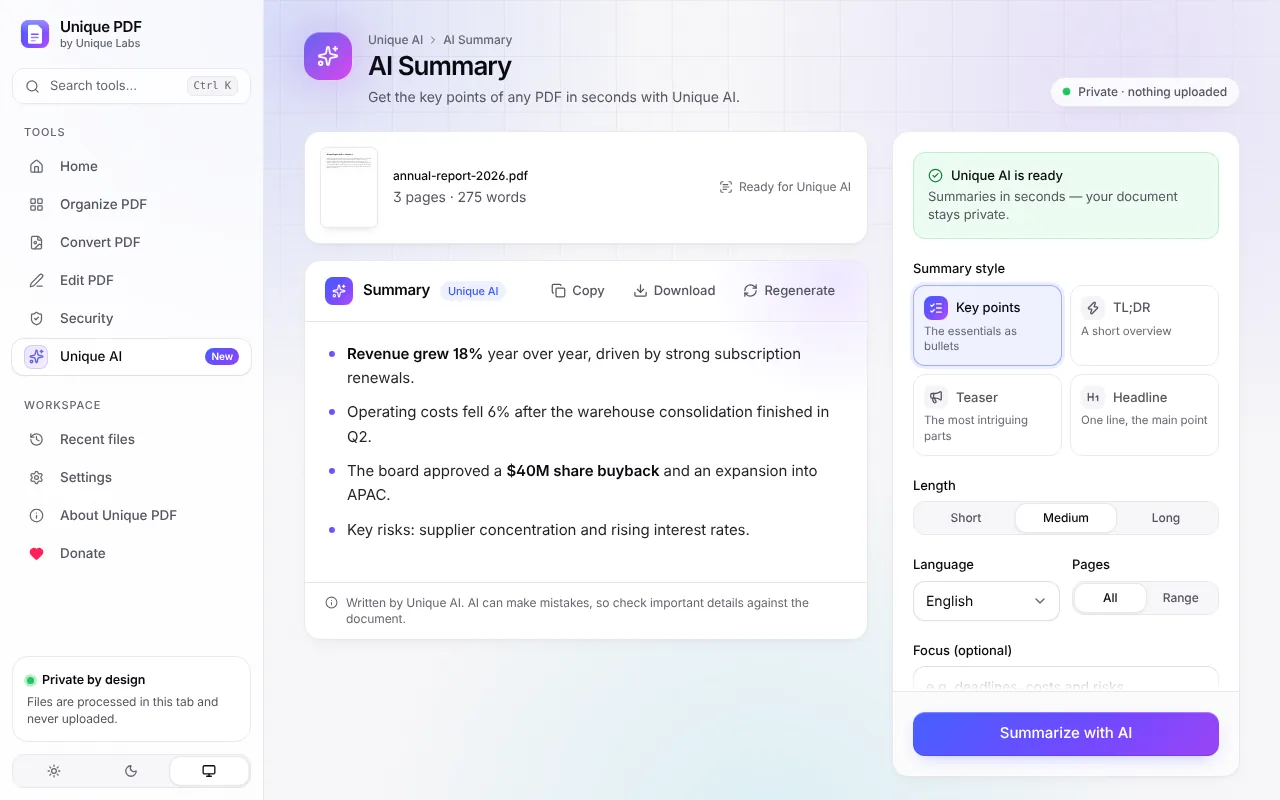
AI Summary

The key points, without the reading.

Turn long documents into key points, a short overview, a teaser or a headline. Choose the length and language and tell it what to focus on.

  • Four styles and three lengths
  • Summarize all pages or just a range
  • Copy as clean text or download as Markdown
AI Summary showing the key points of a report
20 tools

Every PDF tool you need. Free.

Organize, convert, edit and secure your documents — no uploads, no limits, no watermarks.

Chat with PDF

Ask Unique AI anything about your PDF and get answers with page references.

AI Summary

Get the key points of any PDF in seconds with Unique AI.

Merge PDF

Combine several PDFs into one document in the order you choose.

Split PDF

Separate pages into individual files, ranges or equal parts.

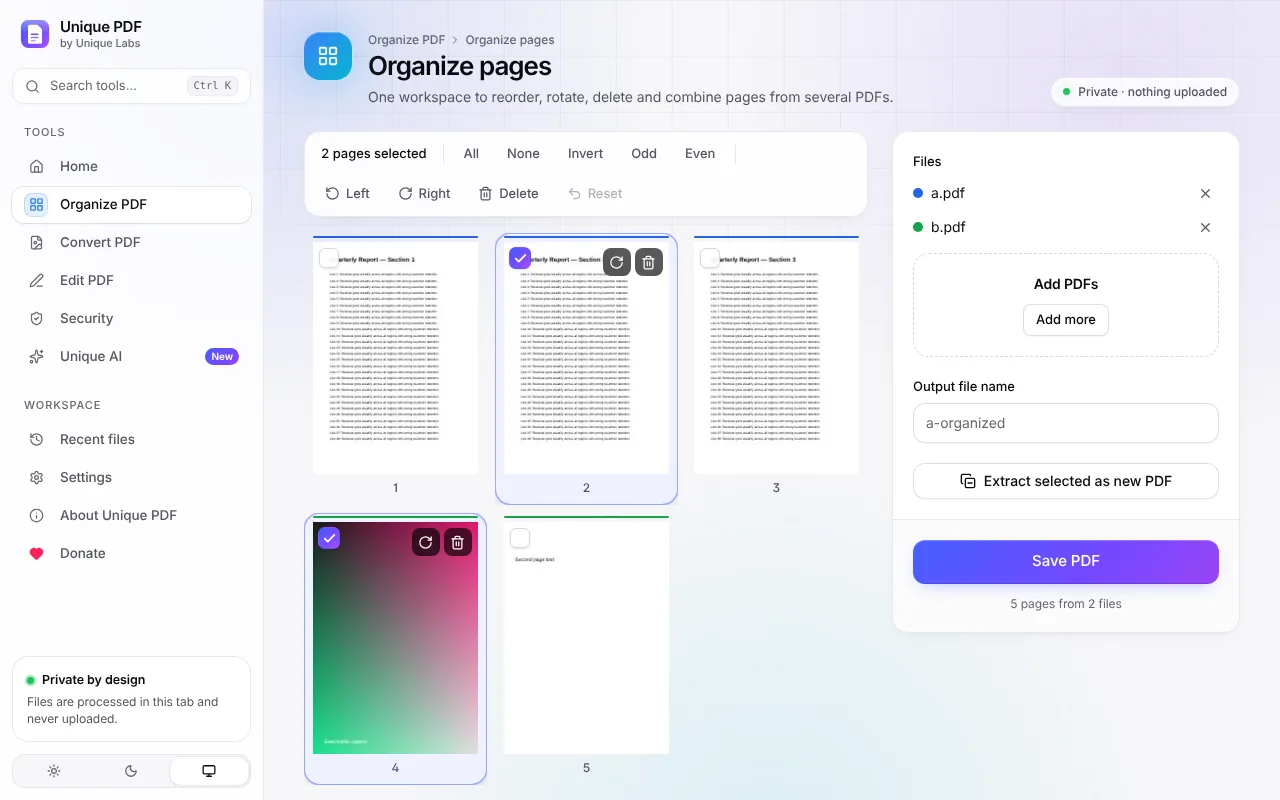
Organize pages

One workspace to reorder, rotate, delete and combine pages from several PDFs.

Rotate PDF

Turn individual pages, selections or the whole document.

Reorder pages

Drag page thumbnails into a new order.

Delete pages

Remove unwanted pages permanently.

Extract pages

Save selected pages as a new PDF or as separate files.

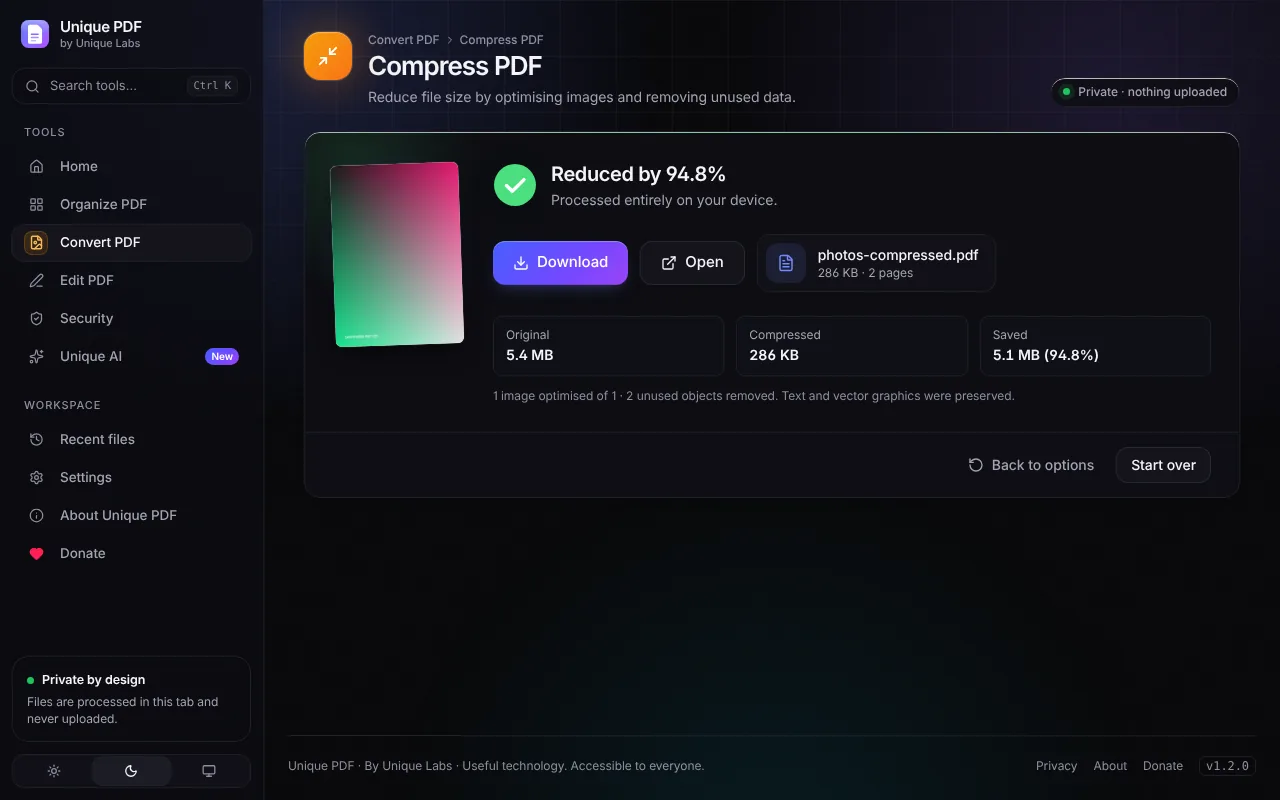
Compress PDF

Reduce file size by optimising images and removing unused data.

Images to PDF

Turn JPG, PNG, WebP and other images into a PDF.

PDF to images

Export pages as high-quality PNG or JPEG images.

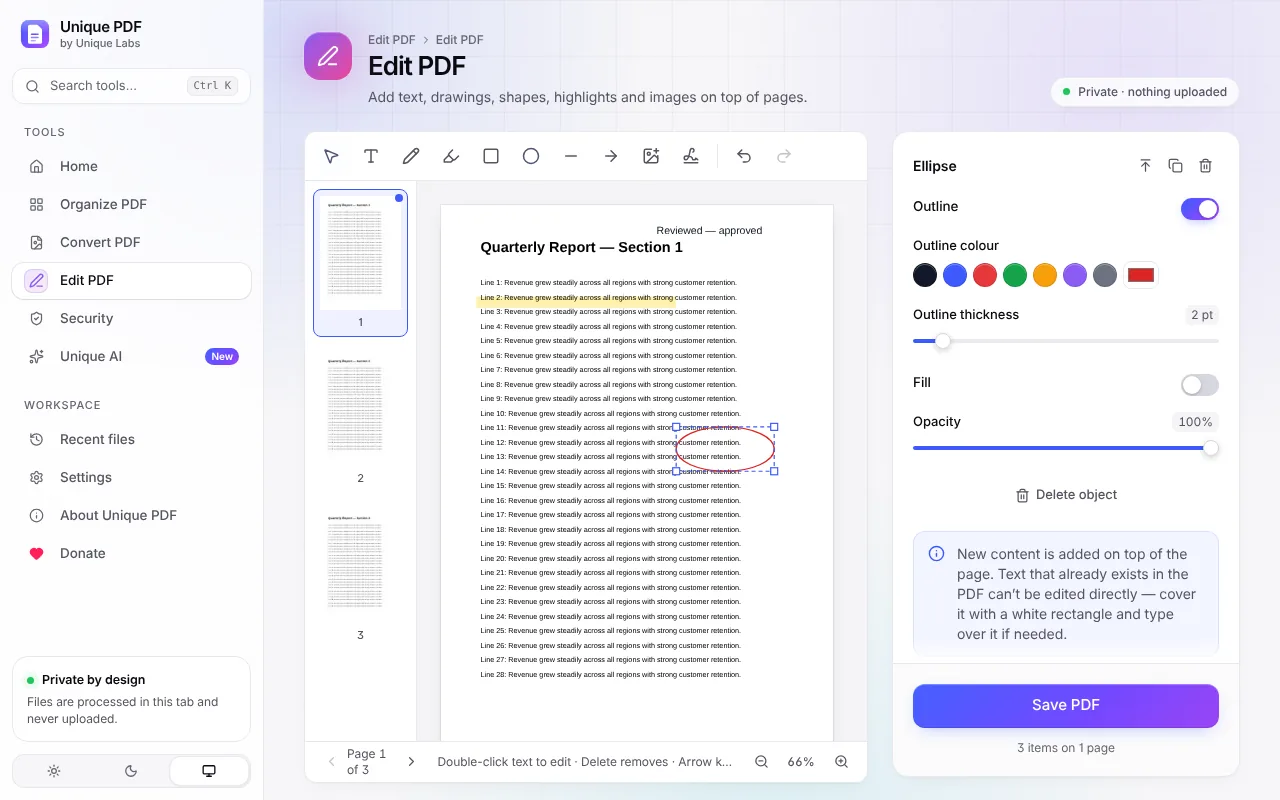
Edit PDF

Add text, drawings, shapes, highlights and images on top of pages.

Sign PDF

Draw your signature and place it anywhere on the document.

Watermark

Stamp text or an image across pages with full control over style.

Page numbers

Number pages with your choice of position, format and style.

Protect PDF

Encrypt a PDF with a password using AES-256.

Unlock PDF

Remove password protection from a PDF you have the password for.

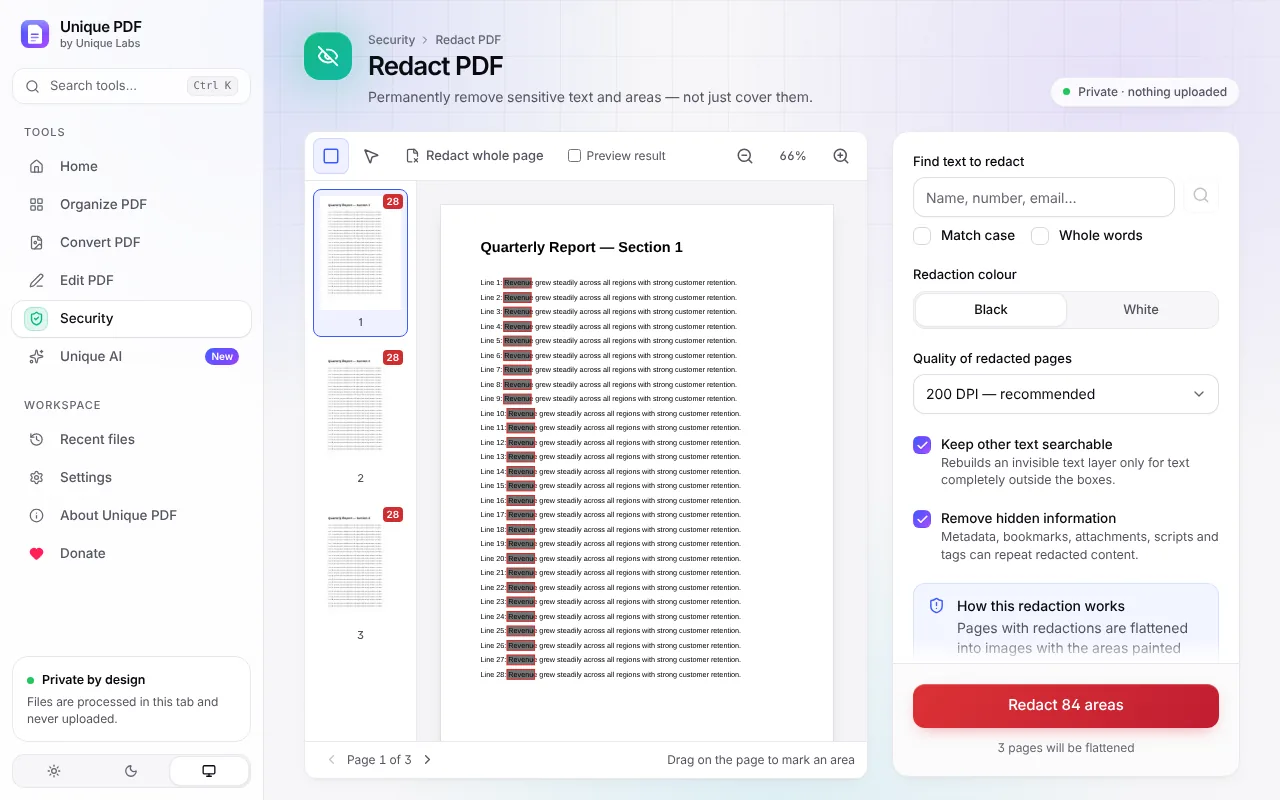
Redact PDF

Permanently remove sensitive text and areas — not just cover them.

Edit metadata

View, edit or remove the title, author and other hidden properties.

How it works

Three steps. No uploads.

1

Add to Chrome

Install Unique PDF from the Chrome Web Store and pin it to your toolbar. It is free and takes a few seconds.

2

Drop your files

Pick a tool, or drop files anywhere and Unique PDF suggests the right one. Everything runs in your browser.

3

Download the result

Adjust the options, click once and save the new file. Your original is never changed.

Private by design

Your files never leave your device.

Online PDF sites upload your documents to their servers. Unique PDF does the work right inside your browser, so contracts, IDs and bank statements stay with you.

  • No uploads, no cloud storage, no account
  • No analytics, no tracking and no ads
  • One permission only: saving your settings
  • Works offline once installed
While you work
Files uploaded 0
Bytes sent to servers 0
Trackers 0
Accounts required 0
Tools available 20
Unique PDF compared with typical online PDF websites
FeatureUnique PDFTypical online PDF sites
Your files are uploaded to a server Never Yes
Account required No Often
Daily task limits None Common
Watermarks on free results Never Common
Works offline Yes No
AI chat with page references Included, free Often paid
Take a look

Beautifully simple. Seriously capable.

Ask questions and click page references to check every answer.
Why Unique PDF

Why people choose Unique PDF

Private by design

Every tool runs inside your browser. Contracts, IDs and bank statements never leave your computer.

Free for real

No subscription, no sign-up, no watermarks and no daily task limits. Every feature, for everyone.

AI that shows its sources

Unique AI answers with page references you can click, so you can check every answer in seconds.

Fast, even offline

No uploads and no waiting. Large documents open instantly, and everything works without internet.

Everything in one tab

20 tools in one clean workspace, with drag and drop, a command palette and a quick-access popup.

Made with care

Light and dark themes, keyboard support, accessible design and an independent developer who listens.

FAQ

Questions, answered

Is Unique PDF really free?
Yes. Every tool is free, with no trial period, no paid plan, no daily limits and no watermark on your files. If you would like to support development, there is an optional donation page.
Are my files uploaded anywhere?
No. Your documents are processed inside your browser on your own computer. They are never sent to Unique Labs or to any other server, and the extension is built so that the browser blocks any attempt to send data out.
Does Unique PDF work offline?
Yes. After installation, all the PDF tools work without an internet connection.
What do I need for Unique AI?
Chat with PDF and AI Summary use the AI built into Chrome. They need desktop Chrome 138 or newer on a computer that Chrome supports for its built-in AI. The first time, Chrome may need to set up its AI model, and Unique PDF shows the progress. On other computers, chat works as a clearly labelled text search that points you to the right pages, and a quick summary without AI picks out the most important sentences.
Can Unique AI make mistakes?
Yes, like any AI. That is why every answer shows its page references. Please check important details against the document.
Can I change the existing text in a PDF?
The editor adds new content on top of the page, such as text, drawings, shapes and images. It does not rewrite text that is already in the document. To replace a word, you can cover it with a white rectangle and type the new text on top.
Can I open password-protected PDFs?
Yes, when you know the password. Unique PDF asks for it and then lets you use the document in any tool. It never tries to guess or bypass passwords.
Is redaction permanent?
Yes. Redacted areas are removed from the file rather than covered with a black box, so they cannot be copied, searched or recovered. Unique PDF also removes hidden information such as document details, and checks the result after redacting.

See all 20 questions

Your next PDF, done in seconds.

Join people who chat with, edit and sign PDFs without uploading them anywhere. Free, private and ready in one click.

Add to Chrome — it’s free